
This page explains how to reach Leogrand safely from a phone. The announcements this guide rests on (17.11.2026) do not mention a separate store app; the platform opens in a mobile browser and a shortcut can be added to the home screen. So the guide recommends the browser route rather than installing files from unknown sources. Gambling can be addictive; the page is for adults only, and the free YEDAM line on 115 is there for players in Turkey.
- How Mobile Access Works
- Adding a Home Screen Shortcut: Android and iPhone
- Account Security on Mobile
- Mobile Data and Connection Problems
- Live Tables and Sports on a Phone
- FAQ
How Mobile Access Works
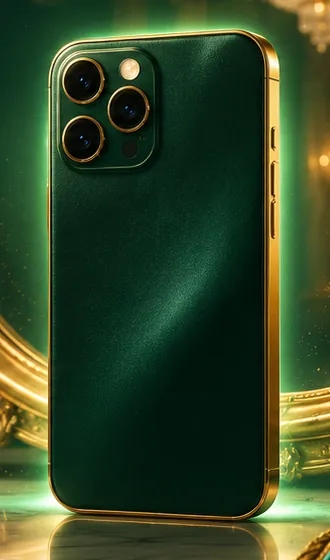
A phone browser is enough. The current address is taken from the pinned message of the official Telegram channel and opened in the browser; the menu, the sections and the account tools are the same as on the desktop. Balance, open slips and bonus progress are shared across devices because they are held in the account.
Because the screen is small, turning the phone sideways before using the slip or live-table menu can help. The menu offers a filter and a search box so you do not get lost in a wide catalogue. Setting screen brightness and notifications before play keeps attention.
The address carries a number and so changes over time; on mobile that means a shortcut can stop working. Treat the shortcut as a convenience and take the real link from the channel.
Adding a Home Screen Shortcut: Android and iPhone
A shortcut keeps the address as an icon on the home screen. The steps below fit most devices; menu names vary with the version.
- Open the official channel on Telegram and tap the link in the pinned message.
- Check that the page opens over https and that the padlock shows in the address bar.
- On Android choose "Add to Home screen" from the browser menu; on iPhone use the share button and choose "Add to Home Screen".
- Give the shortcut a name and confirm.
- Tap the icon and check that the page opens correctly and the session continues.
Instead of sharing the shortcut with family or friends, suggest the channel. When the address changes, delete the old shortcut and add a new one from the channel. If you are asked to download a separate application package (an APK or similar) that the announcement does not mention, do not install it.
Account Security on Mobile
The phone is the part of your account most easily lost. Screen lock, fingerprint or face recognition should be on. If the browser saves the password, the lock must be strong; if the phone is lost, the password has to be changed.
Do not carry out account transactions on shared Wi-Fi. Cafe, airport and hotel networks are easier to monitor, so use mobile data.
Notification permission should relate only to announcements from the official channel. A "please update the app" message that arrives on Telegram or a messaging app can be a trap if it is not on the official channel. Never share verification codes. More security detail is on the trust page.
If you change phone, sign out on the old device and renew your password. Wipe browser data before selling an old phone.
Mobile Data and Connection Problems
If the page will not open on mobile, switch airplane mode on and off, then move between Wi-Fi and mobile data. Clearing the browser cache and cookies removes an old page view. If the trouble remains, the address may have changed; follow the steps on the current address page.
Some providers restrict certain addresses. If the page opens on another network, the problem is with the provider, and the new link has to be taken from the channel. Do not allow installation of apps sold as "unblockers"; malicious ones can collect personal data.
Slow loading hits live tables. If the connection drops during a round, the result shows in the account history; check it before betting again.
Live Tables and Sports on a Phone
Live tables are played on the phone with the same balance. A live stream uses data, so those with a limited plan should prefer Wi-Fi. Odds move quickly on the live betting screen and a wrong tap is easy on a small display; read the selection again before confirming a slip.
When playing one-handed, use auto-play and quick-bet features with care. Fix your loss limit at the start of a session and set a timer on the phone. Watching a screen for long tires the eyes, so take regular breaks. The game sections are described on the games page.
FAQ
Is there a Leogrand mobile app?
The announcements behind this review (17.11.2026) do not name a separate app package; the platform opens in a browser.
Does a home-screen shortcut survive an address change?
No; delete it and add the new link from the channel.
Are mobile and desktop accounts separate?
No; the same account and balance are used.
How can sign-in be made safe on a phone?
Open the address from the official channel, keep the screen lock on and avoid shared Wi-Fi.
What should be done if the phone is lost?
Change the password from another device, close sessions and contact support if needed.
Expert check: Kaan Öztürk · updated 17 November 2026
This site contains affiliate links. The ratings are independent of any commission.